Vercel Releases Geist Serif, a Free Display Font for Headlines
It's built for big type only for now, so use it on your headlines and keep your body text where it is.

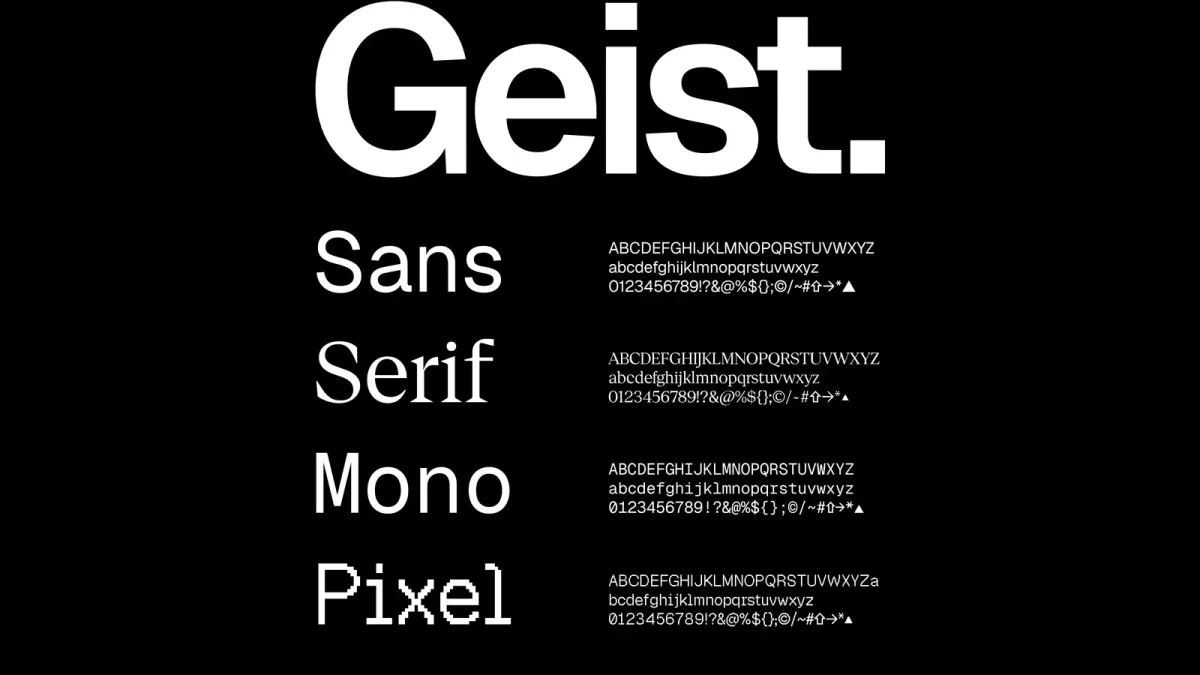
Vercel has released Geist Serif, a high-contrast serif for its free Geist font family. It’s a display face for headlines, and you can download it today.
Want your site to look more like a magazine and less like a dashboard? Then it’s worth a look.
What Vercel released
Geist Serif joins Geist Sans, Geist Mono and Geist Pixel, and Vercel’s announcement on October 30 says it draws on fashion and magazine headlines like Rolling Stone and Harper’s Bazaar.
The letters have fine, saw-toothed serifs and sharp hairlines, and Vercel says it thinned every downstroke by 50% to push the contrast as far as modern screens allow.
The first release of Geist Serif includes:
- One weight, Regular, in four variants: Regular, Square, Triangle and Heart.
- 894 glyphs covering 352 Latin-script languages, five stylistic sets, and more than 52,000 kerning pairs that Vercel says it worked through by hand to get the spacing right.
- The same cap height and x-height as Geist Sans, so if your site already uses Geist Sans, you can swap Geist Serif into your headings without a single line of your layout moving.
The variants only change the shape of the dots, like the one on an i. The GitHub release calls Regular and Square right for primary typography.
Triangle and Heart? Decorative.
Is Geist Serif free for your site? Yes. The geist package on npm lists the SIL Open Font License.
How to add Geist Serif to your site
On a Next.js site, install the geist package (version 1.9.0) and import the variant you want:
npm i geistEach variant has its own entry point, so you only ship the file you use.
On WordPress, Ghost or any other site, download the font files from vercel.com/font, upload them to your own server, and add them to your theme with a simple CSS font-face rule.
Prefer Google Fonts? Vercel says Geist Serif will come to Google Fonts after launch, but it hasn’t given a date.
What’s still missing
It’s a first release. Weights from Thin to Black are coming.
Vercel is also exploring a text version for body copy and developing an italic, and Cyrillic is planned.
Why it matters
My read: Geist Serif is a good free option if your blog or newsletter wants an editorial look. But use it for your headlines only, for now.
A display serif with hairlines this thin is drawn for big sizes. Though Vercel is exploring a text version, at body size on a cheap phone I’d expect those hairlines to get hard to read.
So here’s how I’d try Geist Serif on your site:
- Pick Regular or Square, and load that one file only.
- Set Geist Serif on your H1 and H2 headings only, and keep the font your readers already know for your body text, your menus and your buttons.
- Check your headlines on a real phone, and run PageSpeed Insights before and after.
Of course, every font file adds weight. Our technical SEO audit checklist shows how to spot it.
Meanwhile, Vercel also shipped separate controls for AI crawlers.
That said, this one’s free. Try it on one page first.
Then decide.
Common Questions
Is Geist Serif free to use on a commercial website?
Yes. The geist package on npm lists the SIL Open Font License, and Vercel offers the files as a free download.
Can I use Geist Serif for body text?
Vercel built this first release for headlines, posters and other large sizes. A text version is in the works.
Is Geist Serif on Google Fonts?
Not yet. Vercel says Geist Serif will come to Google Fonts after launch, but it hasn’t given a date.


