AI Email Summaries: How to Write Emails They Get Right
A viral reel says your email's first 200 characters now decide everything. The real rule is close, but no inbox counts characters. Here's what the tests show.

Email marketer Jay Schwedelson posted a reel this week with a simple warning: AI is summarizing your emails before people open them, so the first 200 characters decide what they see.
So I checked it against what Apple, Google, Microsoft and Yahoo say their own inboxes do, and against two tests that sent hundreds of real emails through them.
He’s mostly right.
But no inbox counts 200 characters, Gmail works differently from Apple Mail, and the fix is bigger than the opening line.
Do you send a newsletter, a store promo or a pitch from your website? Then your next email already has a second reader. Below is what each inbox does, then seven fixes for your next send.
Which inboxes summarize your email, and when
| Inbox | What the reader sees | When it appears | Who has it |
|---|---|---|---|
| Apple Mail | A short summary under each email in the inbox list, in place of your preview text | Before they open, by default | iPhone 15 Pro or later with Apple Intelligence on, in supported languages |
| Apple Mail | A longer summary at the top of the email | When they tap Summarize | Same |
| Gmail | An AI Overview of the thread at the top | When they open a long thread | Free, worldwide, in 8 languages |
| Gmail AI Inbox | A briefing of priorities and topics drawn from many emails | Before they open them | Paid Google AI and Workspace plans, US English only |
| Outlook | A Copilot summary at the top of the thread | When they click Summary by Copilot | Copilot users |
| Outlook Prioritize | A short summary in place of the first line in the message list | Before they open, once they turn it on | Copilot users, rolling out |
| Yahoo Mail | A message summary, and a Catch up mode that summarizes emails one by one | Before they open (Catch up) | New Yahoo Mail and the Yahoo Mail app |
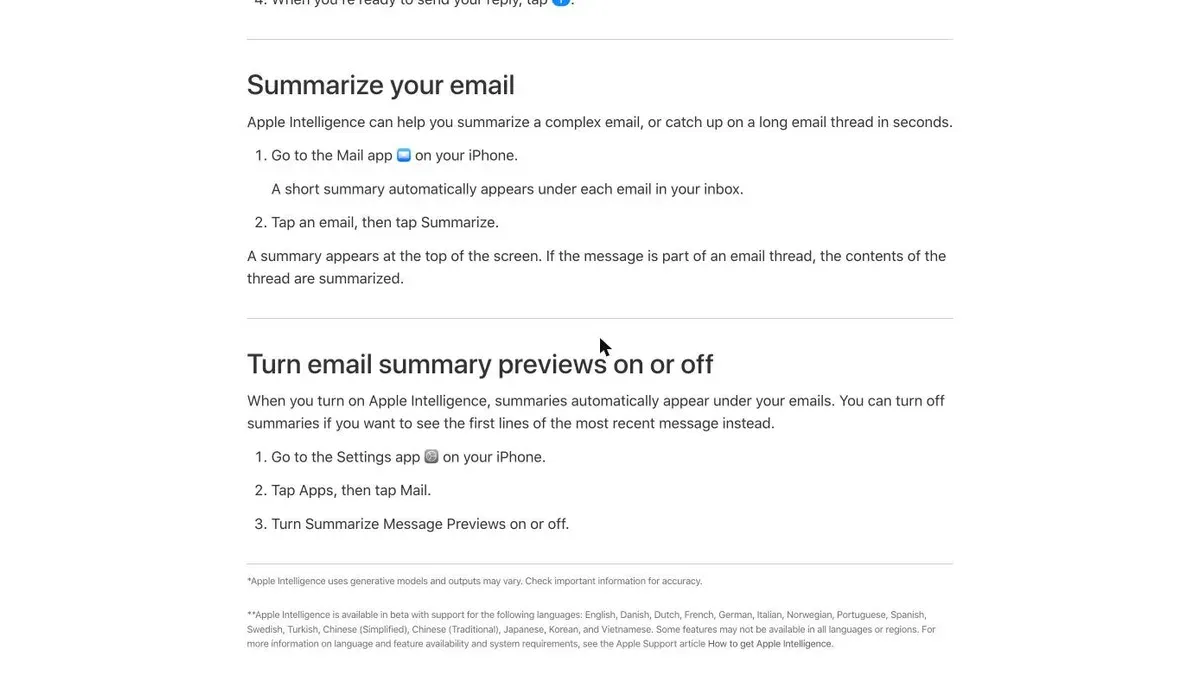
Apple Mail changes your inbox preview for the most people, because it’s on by default.
Apple’s own guide says a short summary “automatically appears under each email in your inbox”.
Your preview text only comes back if the reader turns off Summarize Message Previews in Settings, under Apps and Mail. My guess is most won’t.
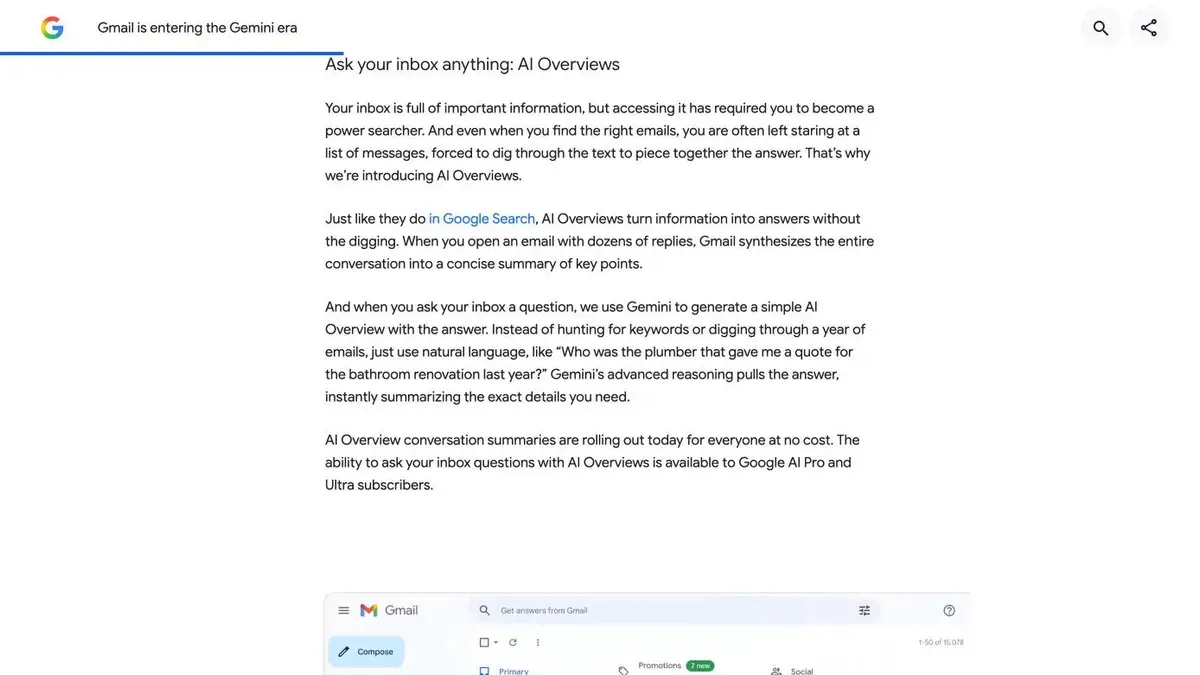
Gmail summarizes after the open, and mostly on long threads. Google says its summaries kick in “when you open an email with dozens of replies”. A single promo email rarely gets one.
Gmail’s AI Inbox is the exception. It pulls priorities and topics out of many emails into one briefing, for paid plans in the US only (Workspace users got it from October 12, 2026).
Outlook mostly waits for a click on Summary by Copilot.
But its new Prioritize feature, once a reader turns it on, replaces the first line in the message list with a brief summary, like Apple does.
Yahoo Mail has message summaries too, and its app’s Catch up mode shows an AI summary with Keep or Delete buttons, without opening the email.
What the tests show the AI reads
Two tests sent real emails through these inboxes and recorded the summaries.
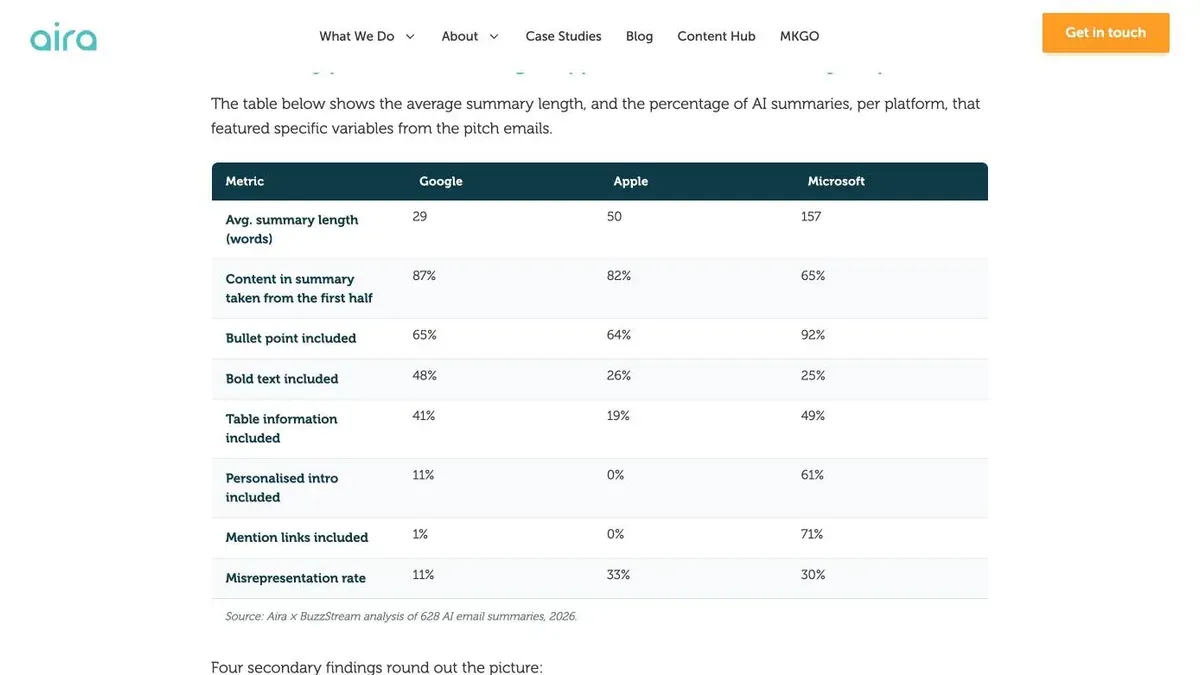
The bigger one is from Aira, a digital PR agency, and BuzzStream. They sent 628 pitch emails to Gmail, Apple Mail and Outlook in March and April 2026, changing one thing at a time.
The results that matter if you send email from a website:
- 82 to 87% of what Gmail and Apple put in a summary came from the first half of the email. Outlook took 65%.
- Gmail’s summaries averaged 29 words, Apple’s 50, Outlook’s 157.
- Bullet points made it into 64 to 92% of summaries, more than any other format.
- A friendly personal intro showed up in 0% of Apple’s summaries and 11% of Gmail’s.
- Aira found graphics and attachments “essentially invisible to all three”.
- Apple got something wrong in 33% of emails, Outlook in 30%, Gmail in 11%.
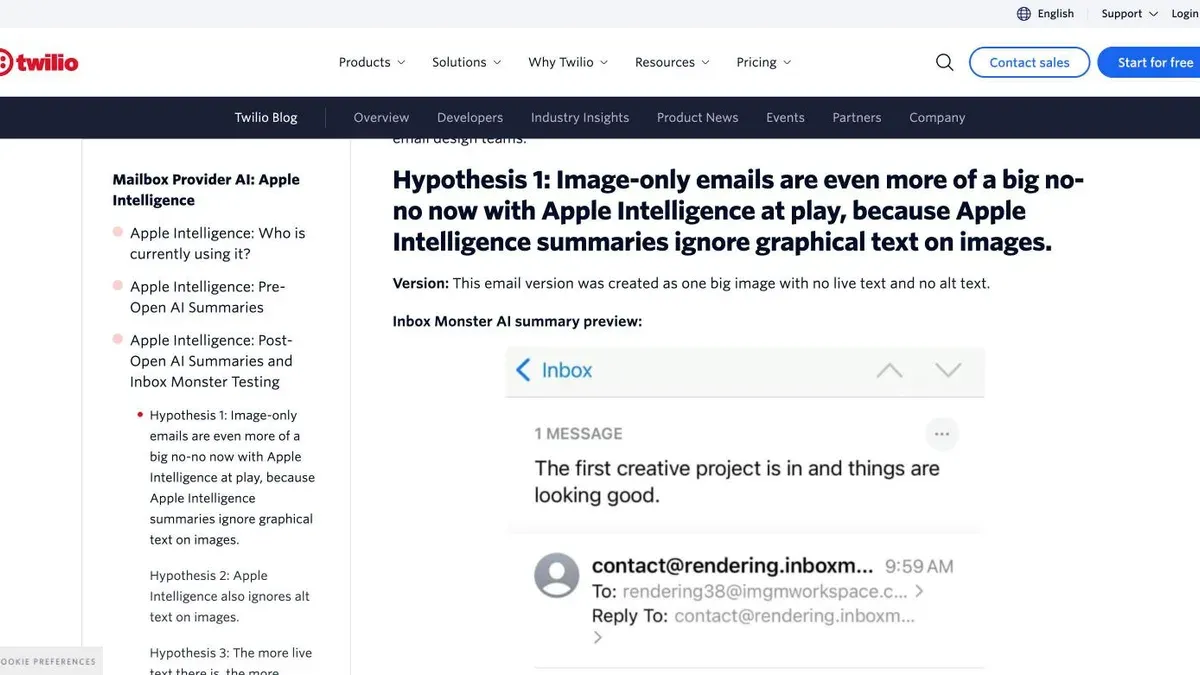
The second test, by Twilio and Inbox Monster in March 2025, built one email as a single image with no live text. (Live text is real HTML text, the kind you can select with your cursor.)
Apple’s summary skipped everything in the image and leaned on the subject line alone.
Then they added detailed alt text to the same image. Apple ignored the alt text too. Only the version with real text near the top got a useful summary.
These were pitch emails and one simple test email, so I’d treat the numbers as a pattern.
But both point the same way. The reel’s two big points hold: the top of your email carries the summary, and text inside an image doesn’t count.
7 fixes for your next email
1. Say the point in the first two lines
Put your offer, your deadline or your news in the first sentence of the body. Cut the “Hope your week is going well” opener, since it takes the space the AI reads first.
Check it: read only your first two lines. Would someone know what you want and by when?
2. Write a subject line that works on its own
Twilio saw Apple lean on the subject line first. Aira saw words like “new” and “data” reach summaries more often from the subject line than from the body.
Stop splitting the joke between subject and preview text. Apple may replace that preview with its own words.
3. Keep every key message in live text
These should be real text you can select:
- your headline
- your offer and its deadline
- your button label
Keep images for decoration. The top of the email is what the summaries in these tests drew on most, so give it words.
Check it: open the email in a browser and select all the text (Cmd+A or Ctrl+A). Anything that doesn’t highlight is part of an image, and that’s what Apple skipped in Twilio’s test.
4. Put the facts that matter in bullets
Bullets were the format summaries used most in Aira’s test.
One bullet, one fact, with its context.
Make each of your bullets stand alone: the number and what it means in the same line, so the AI can’t mix two figures together.
Lead with your strongest point in the first bullet. Gmail pulled from the first bullet most often.
5. One email, one goal
Inbox Monster’s Laura Sullivan told Twilio that emails with three or more calls to action gave summaries that were “close to jibberish”. One offer, one button.
6. Still write alt text, but don’t count on it
You should keep writing alt text, because it still helps your readers:
- screen reader users
- people who turn images off
- anyone whose images fail to load
Apple’s summary ignored it in Twilio’s test, though, so never let alt text be the only place your offer lives.
7. Decide what the summary may give away
In one brand’s email that Twilio shows, Apple’s summary put a 15% discount code right in the inbox list.
Handy for the reader. But they can now use it without opening the email, and your report may never credit that sale, which hurts if a client judges the newsletter by its sales.
What should you do about it? That depends on how you count sales:
- You report sales by email: keep the code behind the click. A unique code per campaign helps you see where sales came from.
- You care about sales, not credit: let it show. A code in the preview may sell more.
How to test your own emails
You don’t need a paid tool to start.
- Send the email to yourself on an iPhone with Apple Intelligence on and look at the line under your subject in the inbox list. That’s what Apple readers see.
- Open it and tap Summarize for Apple’s longer version.
- In Gmail, reply to yourself a few times and open the thread. Long threads get an AI Overview at the top.
- In Outlook with Copilot, click Summary by Copilot. If you have Prioritize on, look at the line in the message list.
- In the Yahoo Mail app, try Catch up.
Do it for your next three sends. If the summary misses your offer or gets it wrong, move the offer up and simplify the first lines. Then send it to yourself again.
Apple Intelligence only runs on recent iPhones and in some languages, so your own list decides how much this matters.
Check your email platform’s client report for a rough share of Apple Mail readers. It’s rough because Apple’s Mail Privacy Protection loads emails on its own and blurs open data.
What the reel got wrong or left out
- The 200-character rule isn’t in any inbox’s documentation. In the tests, the first half of the email carries the summary.
- “Before people even open them” is true for Apple Mail, and for Outlook and Yahoo readers who turn those features on. Gmail summarizes long threads after the open.
- AI summaries get things wrong. A third of Apple’s summaries misread the email in Aira’s test.
- The link to his podcast sits behind a “comment EMAIL” gate. The sources for everything here are linked above.
Why it matters
For years we wrote two lines for the inbox: a subject and a preview text that finished the joke. On Apple Mail, the second line now belongs to Apple.
Bad news? I don’t think so, at least for good emails. The fixes are the same things that make an email easy to read for a busy person: the point first, real text, one offer.
What worries me is the image-heavy newsletter.
A lot of stores still send one big designed banner because it looks good on a desktop. To Apple’s summary, that email says nothing, and your reader gets a dry line made from your subject.
Starting a list? Build it this way from the first issue. My guide to starting a newsletter covers the rest of the setup.
Common Questions
Do AI email summaries replace preview text in Gmail as well as Apple Mail?
No. Apple Mail shows its summary in the inbox list in place of your preview text when Apple Intelligence is on. Gmail shows AI Overviews at the top of long threads after the open, so your preview text still shows in the Gmail inbox.
Can I stop Apple Mail or Gmail from summarizing my marketing emails?
You can’t, as the sender. Readers can turn it off: on iPhone in Settings, Apps, Mail, Summarize Message Previews, and in Gmail by turning off smart features. You can only shape what the summary says.
Does AI read the text in images or the alt text in my email?
In Twilio’s test, Apple’s summary ignored both the text in the image and its alt text, and Aira’s 628-email test found graphics invisible to Gmail, Apple and Outlook. Put anything that matters in live text.


